

hm.media Onboarding Videos

Social Media
Happy Snap Post
Happy Snaps exist to showcase the real life of hm.church — who we are, what Sundays feel like, and what people can expect when they walk through the doors.
Check the current feed first
Review recent posts to avoid repeating the same images, people, or demographics.Select your images
Go to GDrive → download → upload to Canva 3–10 high-quality photos that capture the life, atmosphere, and people of that Sunday.Write a relevant caption
Comment on what happened that Sunday and mention the next 2 events coming up.If there were child dedications, mention it.
If it was a general Sunday, keep it warm and simple (e.g. “We love spending Sundays with you!”).
Add in next events
Feel free to use this template for the end of your caption
COMING UP:
•Event 1 - date @ time
•Event 2 - date @ time
We love doing life together and can't wait to see you again this weekend!
Every Sunday - 8:30am & 10:30am
88 Sportsmans Parade, Bokarina
See you there 🤍
Be careful with kids’ photos
Do not use clear photos of children’s faces unless you are completely sure parent permission has been given.Avoid the old school hall
Do not use photos taken in the old school hall.Use familiar faces
Only post photos of people who regularly attend hm.church or you know currently attend.Show demographic variety
Aim for a healthy mix of ages, genders, and backgrounds — avoid posting only one type of demographic.Post!
Story Upload
Once the post has uploaded, share it to the stories with a white background
Event Promo Post
Event Promo exists to keep our church family informed, excited, and up to date with what’s happening in the life of hm.church.
Check the details
Visit the Events page on the website to confirm dates, times, and key information.Open Canva
Head to Canva and locate the templates for the upcoming event.Update imagery if needed
If the current photo is outdated, go to Drive and find the relevant event folder to select a new image.Edit the template
Update the dates and any required details on the template.Post
Once everything is correct, publish the post.Story Upload
Once the post has uploaded, share it to the stories with a white background
Connect Group Highlight Post
CG Highlights exist to showcase the life of hm.church throughout the week, not just on Sundays.
Check the current feed first
Review recent posts to avoid repeating the same images, people, or demographics.Select your images
Go to GDrive → download → upload to CanvaOpen Canva
Go to Canva and locate the Connect Groups template.Update imagery if needed
If the current photo is outdated, head to Drive and download recent Connect Group photos.Post
Once the template is updated and looks right, publish the post.Story Upload
Once the post has uploaded, share it to the stories with a white background
Life of the Church Post
Life of the Church posts exist to showcase the life of hm.church on Sundays, aiming to show all areas of a Sunday service.
These are super simple, low effort, and designed to be done super easily!
Check the current feed
Review similar posts, see what areas have been featured recently
Film multiple angles
When you are in an area, film multiple angles. You can easily cover multiple weeks of posts in one morning.
Captions
Try different caption concepts (eg. Community, More Kids Becoming More Like Jesus, POV:) etc.
Post
Write a simple caption and schedule one for each week, rotating the areas that we feature.
Story Upload
Once the post has uploaded, share it to the stories with a white background
Areas to include:
Cafe (inc. outdoor), Creche, Mothers Room, Kids Rooms (Sprouts & Seedlings), Auditorium
Don’t Include Kids Faces — film from the back of kids rooms.
Screens
ProPresenter
ProPresenter
ProPresenter is the software we use to manage and display content on our screens during Sunday services, including lyrics, videos, graphics and sermon content. This helps us create a clear and engaging experience for our church.
Please familiarise yourself with the process of how to set up a Sunday service with ProPresenter via our video tutorial and don’t hesitate to your team members and leaders questions!
DLive4You (Personal Mix App)
DLive4You is an app that allows you to control your own in-ear monitor mix, so you can hear exactly what you need while serving.
Before Thursday rehearsal:
Download the DLive4You app on your phone (insert link)
Watch the tutorial video for a full walkthrough and tips
On Thursday rehearsal:
Connect your phone to the HM AV WiFi network
Open the app and select your assigned mix
Adjust your levels to suit what you need to hear
Lights
ProPresenter

Photography
Editing
Key Notes
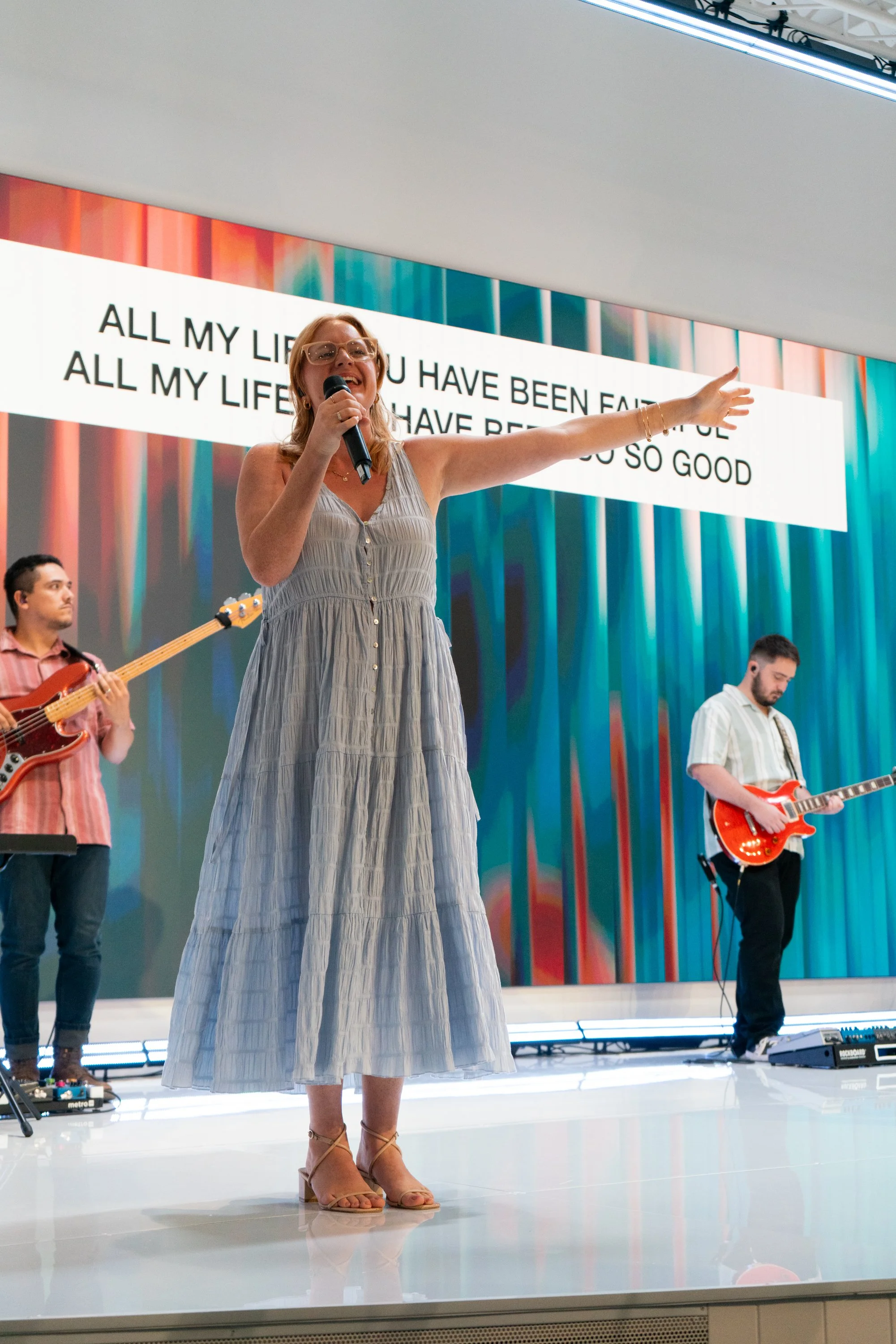
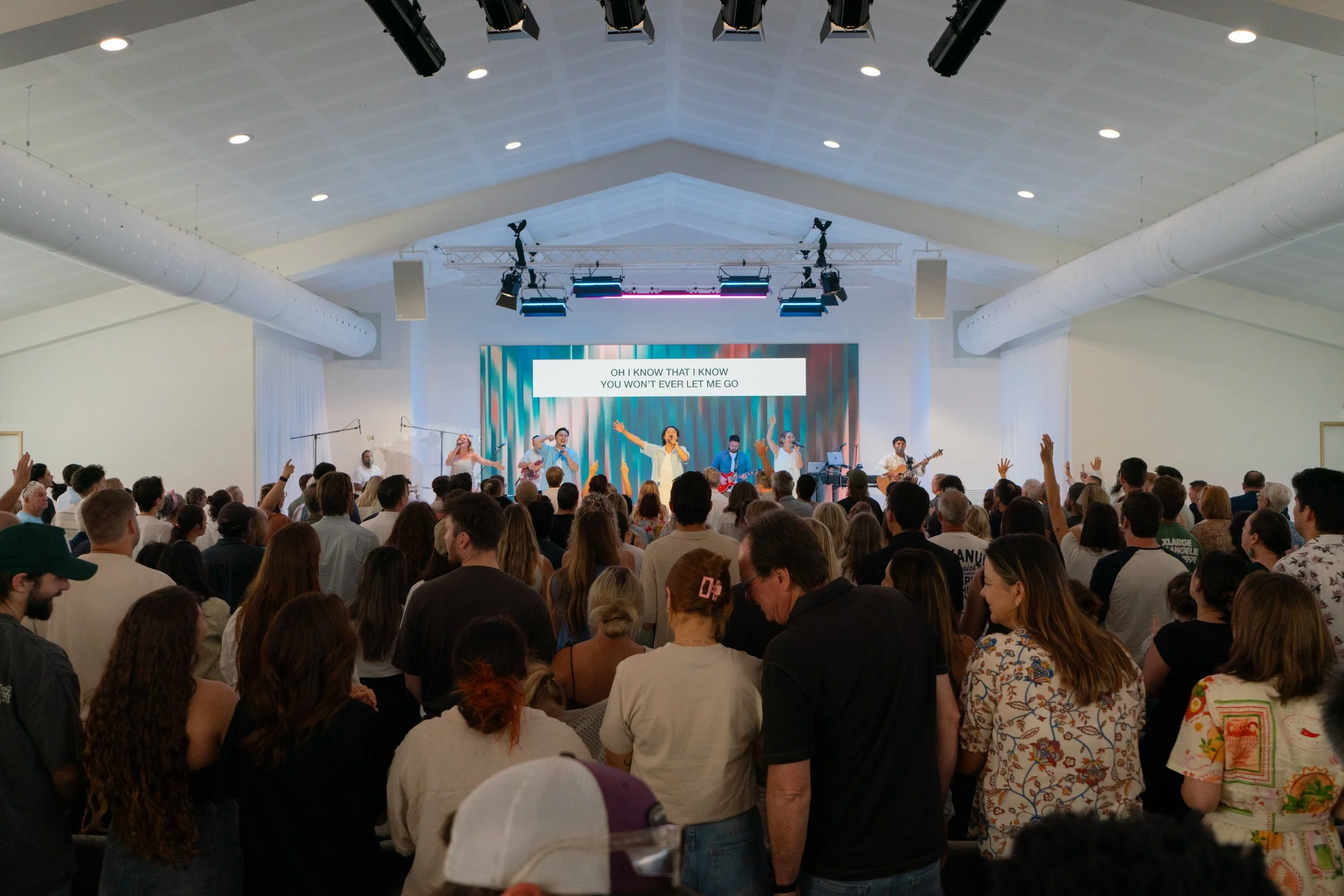
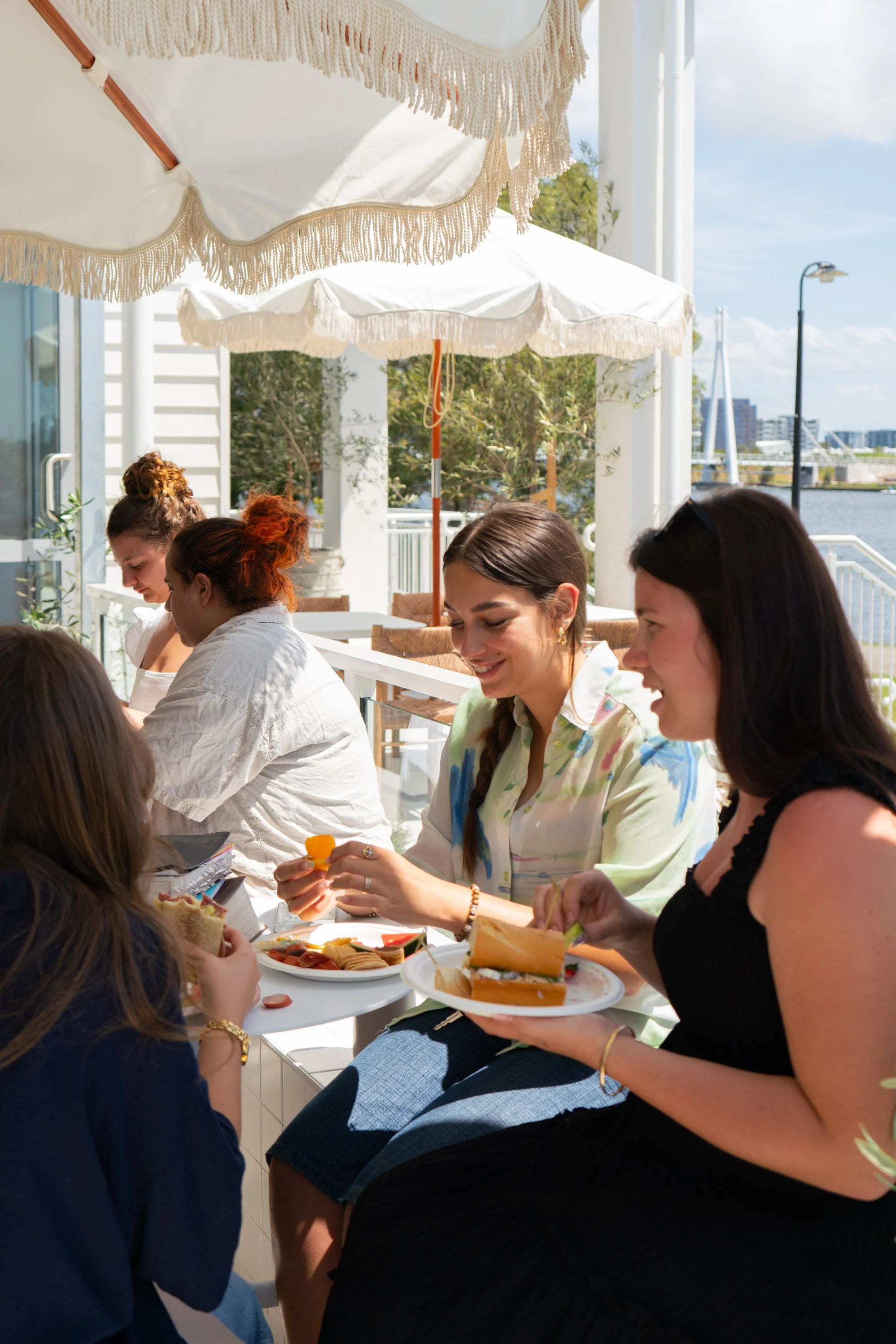
Our vision for visuals is coastal, friendly and relaxed - we do this by making the photos light & bright, not too heavy of contrast or blacks.
Keep the whites accurate (within creative reason - use your creative eye to decide what works best for images in each area of our church building)
Keep skin tones accurate
Refer to images above
Please don’t hesitate to reach out if you have any questions about how to execute this!
Editing apps: Darktable (FREE), Adobe Lightroom (PAID)
Sermon Reels don’t have to be overcomplicated!
Look out for the BLUE highlighted sections of the preaching notes to see what sections are prepared for filming.
Generally we’ll bring a video camera and sync up the audio from the Spotify podcast recording, but if you want a simpler solution using your iPhone, we’ve created a simple process to get it looking beautiful!
This tutorial uses the software Adobe Premiere Pro
Click here to download the iPhone Preaching LUT.
Captions:
Text: Aileron (Regular)
Font Size: 42-48
Zone: Middle Square
Appearance | Fill: White (#FFFFFF)
Appearance | Shadow: Black (#000000)
Opacity: 100
Angle: 135
Distance: 3
Size: 6
Blur: 12
Videography
Editing Sermon Reels with an iPhone
“God doesn’t want us to be shy with his gifts, but bold and loving and sensible.”
2 Timothy 1:7 (Message)